Search
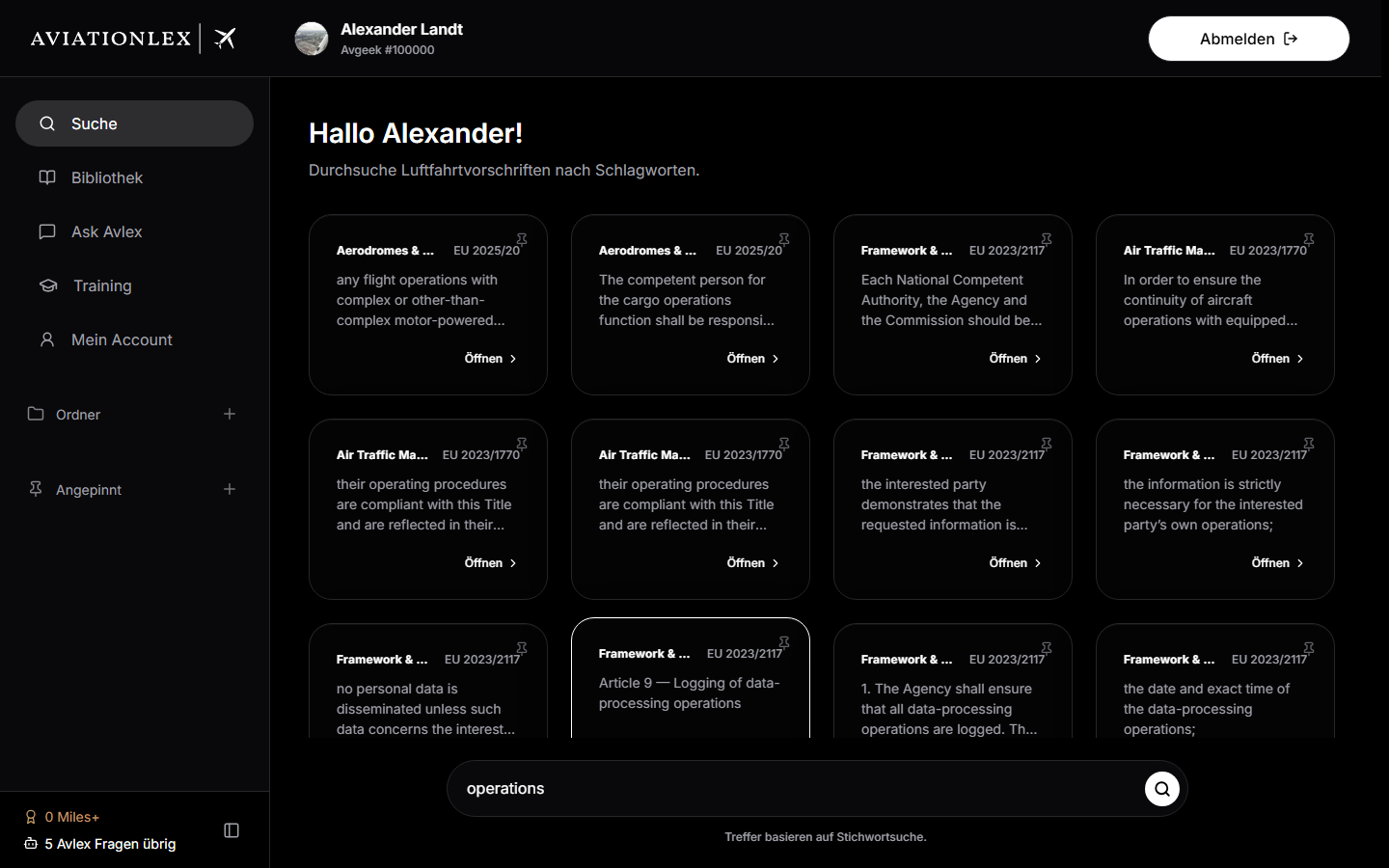
With Search you search the regulation library by keyword (“Search regulations…”). The search starts from two characters.
How a search result works: Each result is a clickable card. A card shows from top to bottom:
- a pin button (pin icon, top right),
- the parent category of the regulation (coloured),
- the regulation number and, where applicable, the article/paragraph,
- an AI-generated summary as a description (truncated to three lines),
- up to six keywords as
#tags, - “Open” at the bottom to open the document in the Library.
If nothing is found, “No results found.” appears. Check the spelling and wording — or ask your question via Ask Avlex. There are no separate filters; the search automatically hides technical and unpublished entries.
Results load in pages and extend as you scroll. When you open a result and then return to the list, your previous scroll position is restored — so you don’t lose your place in a long set of hits.